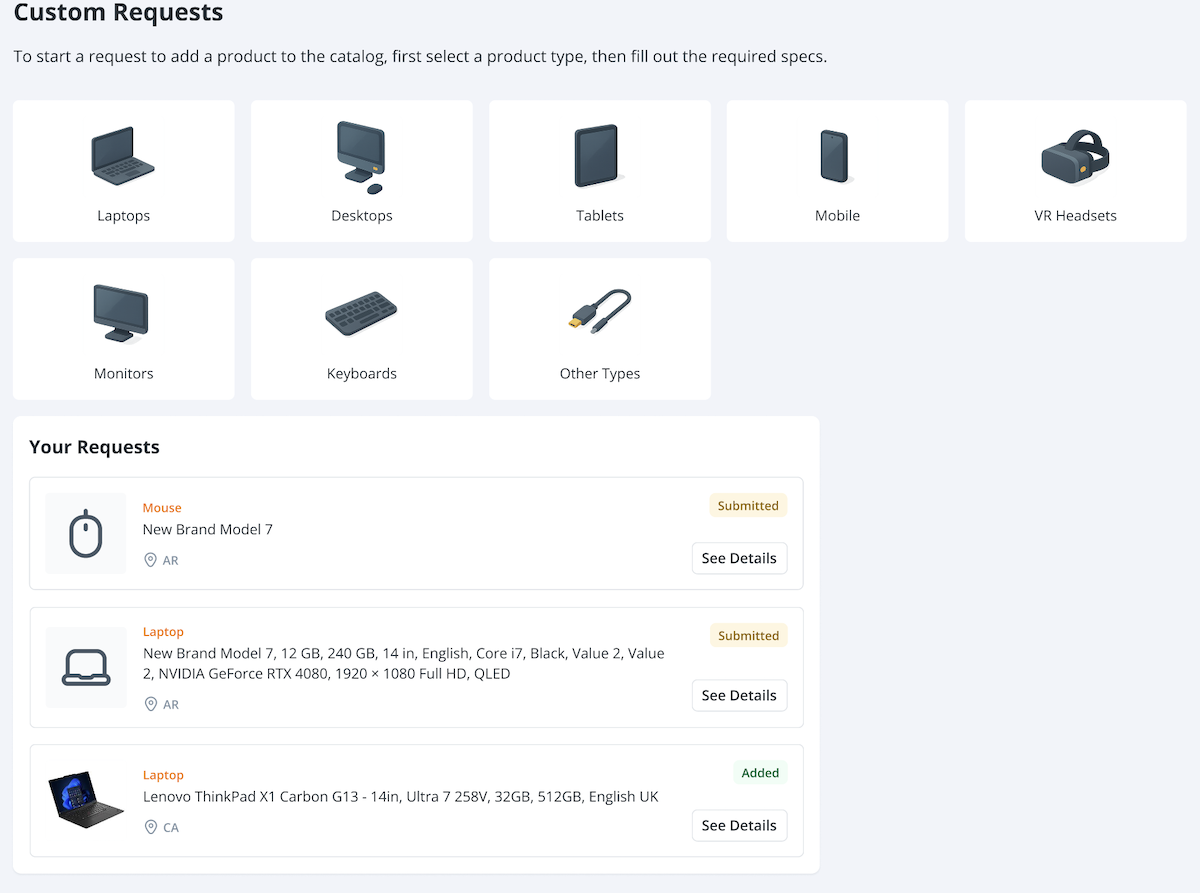
Custom Requests
If you can’t find the product you need in the Marketplace, provide the product details you need through a custom request, and GroWrk will suggest the closest available option.
Request a product
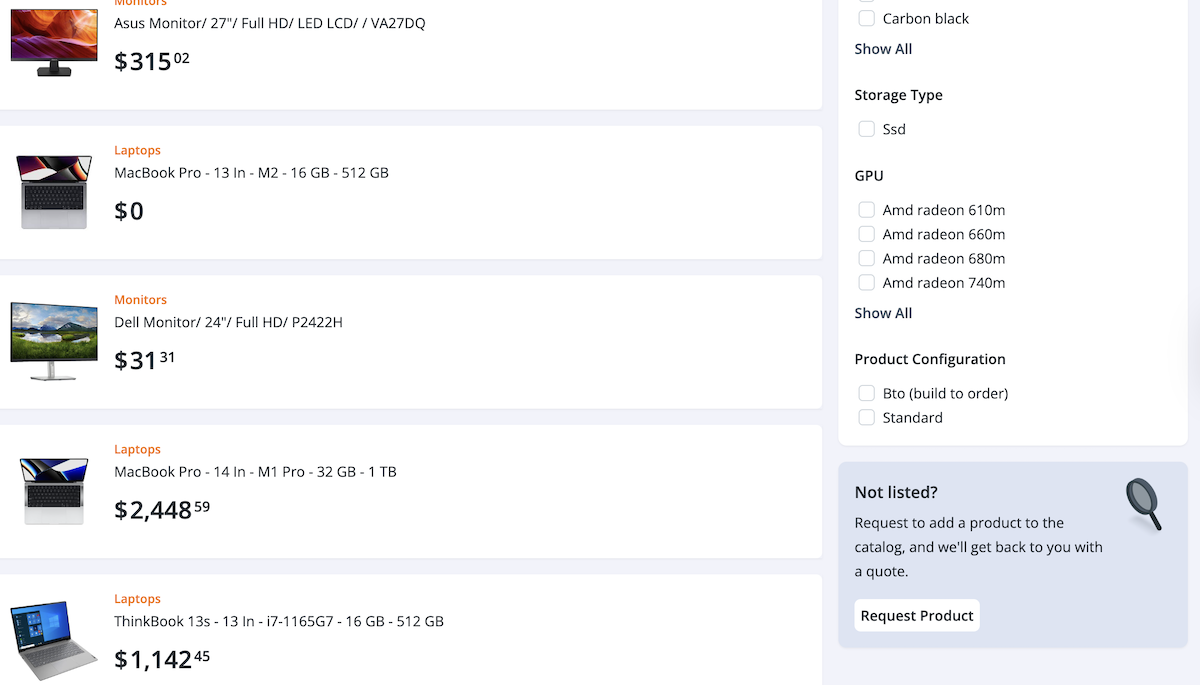
- In the bottom right corner of the Marketplace, select Request Product.
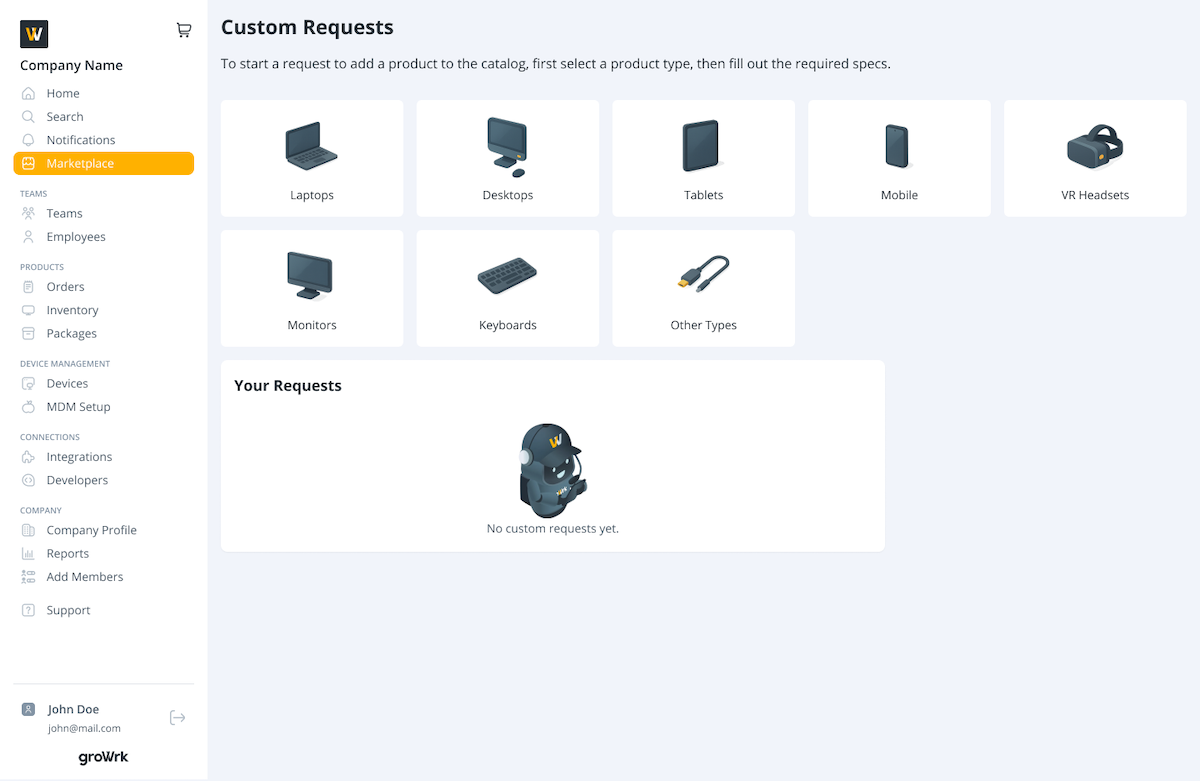
- On the Custom Requests page, select a product type.
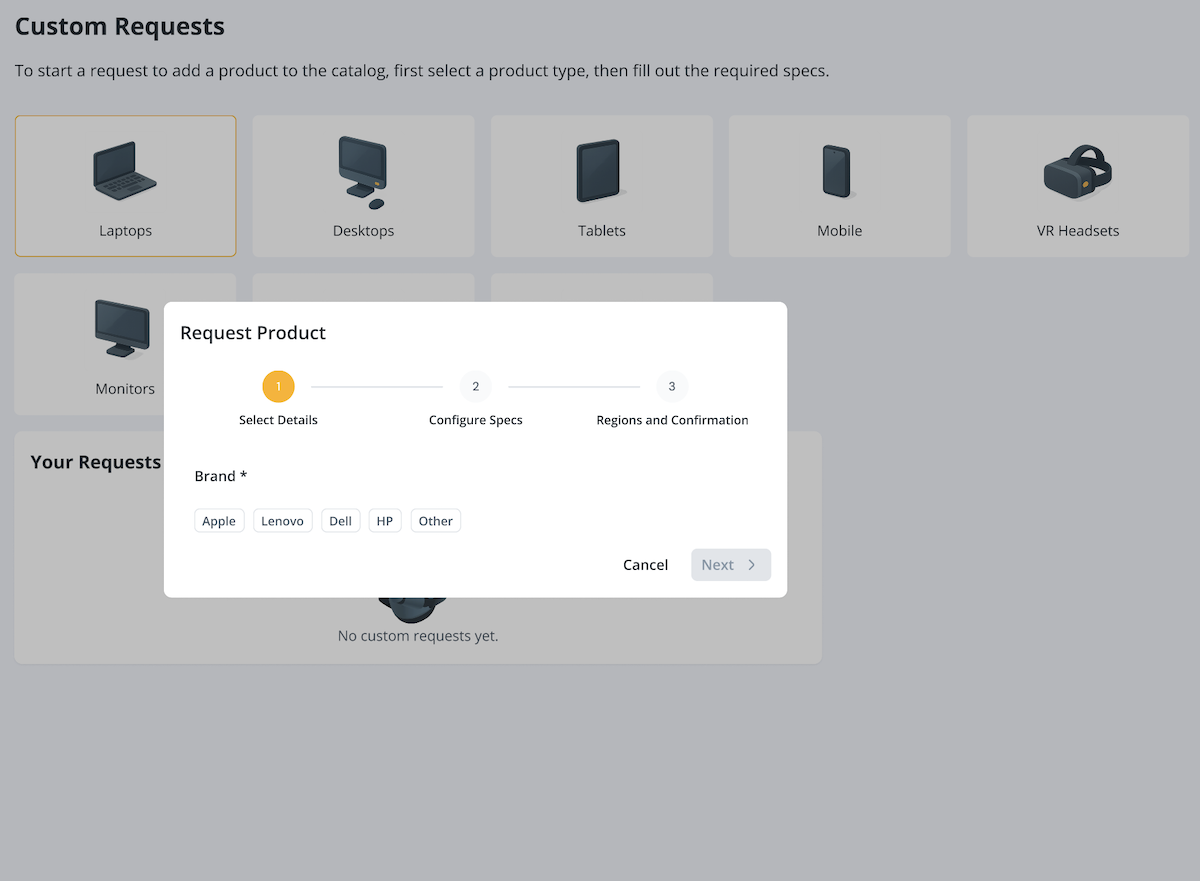
- Select one of the listed brands, or select Other and enter your preferred brand.
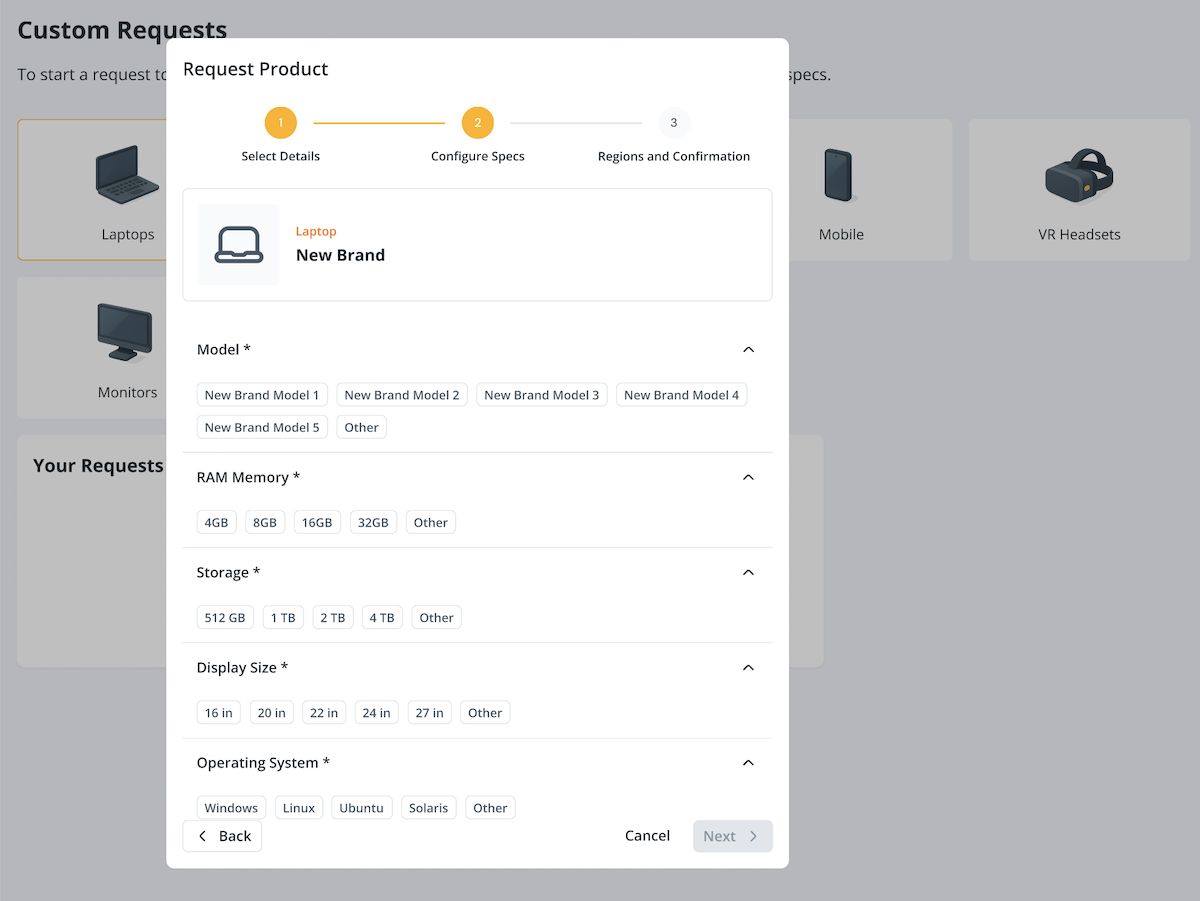
- Select and enter your preferred specs.
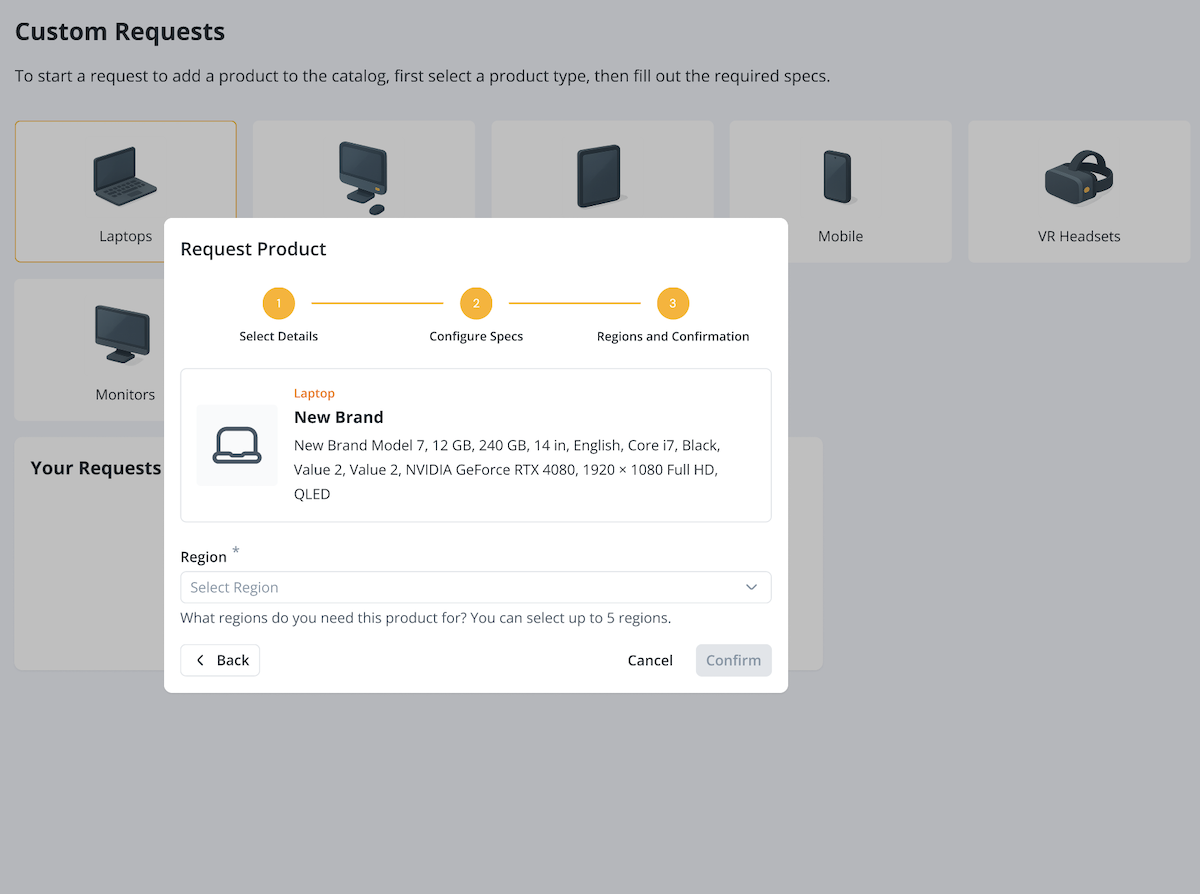
- Select the regions you will need this product for. You can select up to 5 regions. Then, select Confirm.
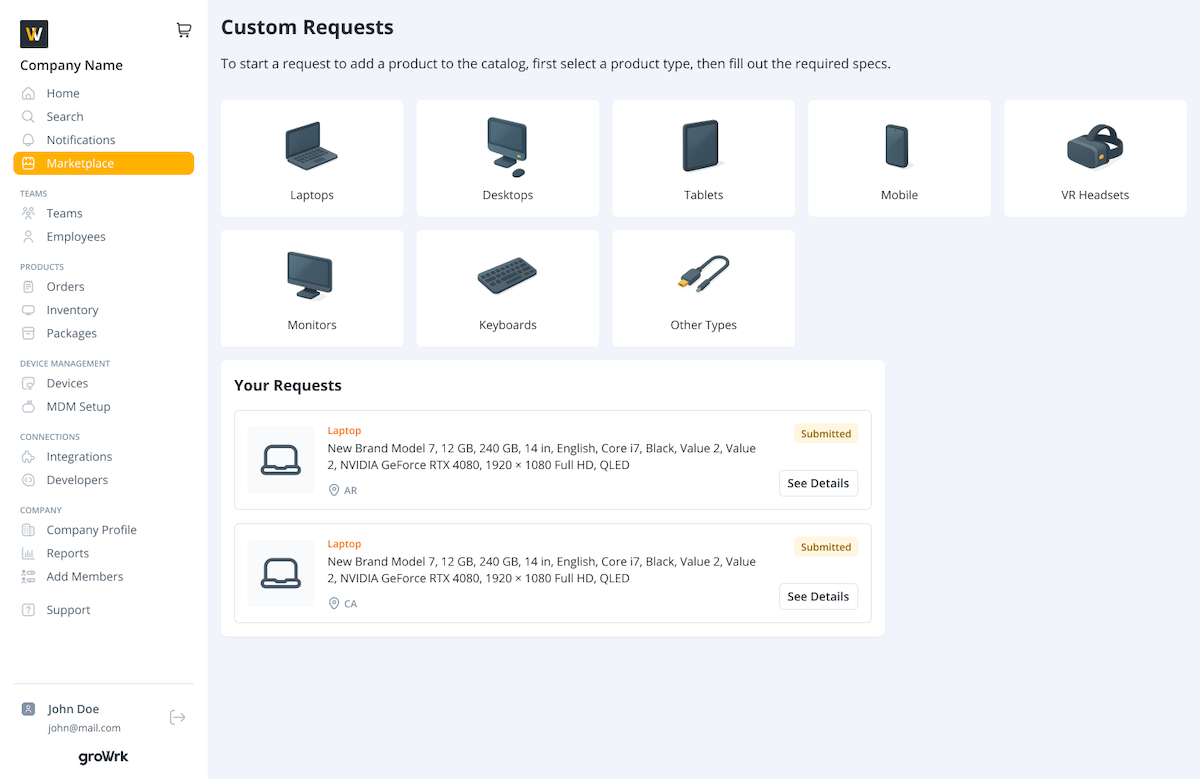
- Your request will be submitted and the GroWrk team will review and search for a product that closely matches your spec requirements.
Approve or decline
- When a product suggestion is ready for review, it will be marked as Pending Approval. Select See Details to view the full product specs.
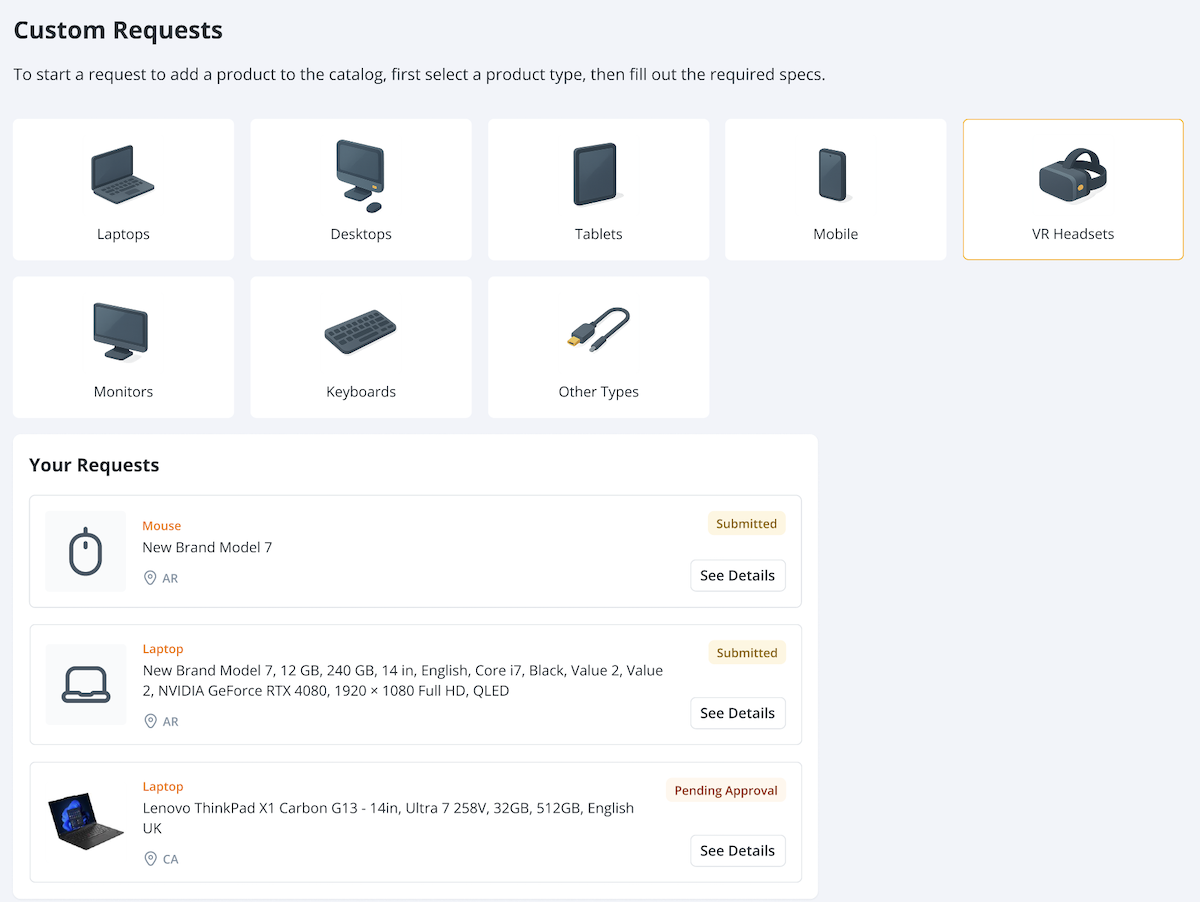
- Review the suggested product details to see its specs and compare it to your request. Select Approve and Add to add it to the Marketplace.
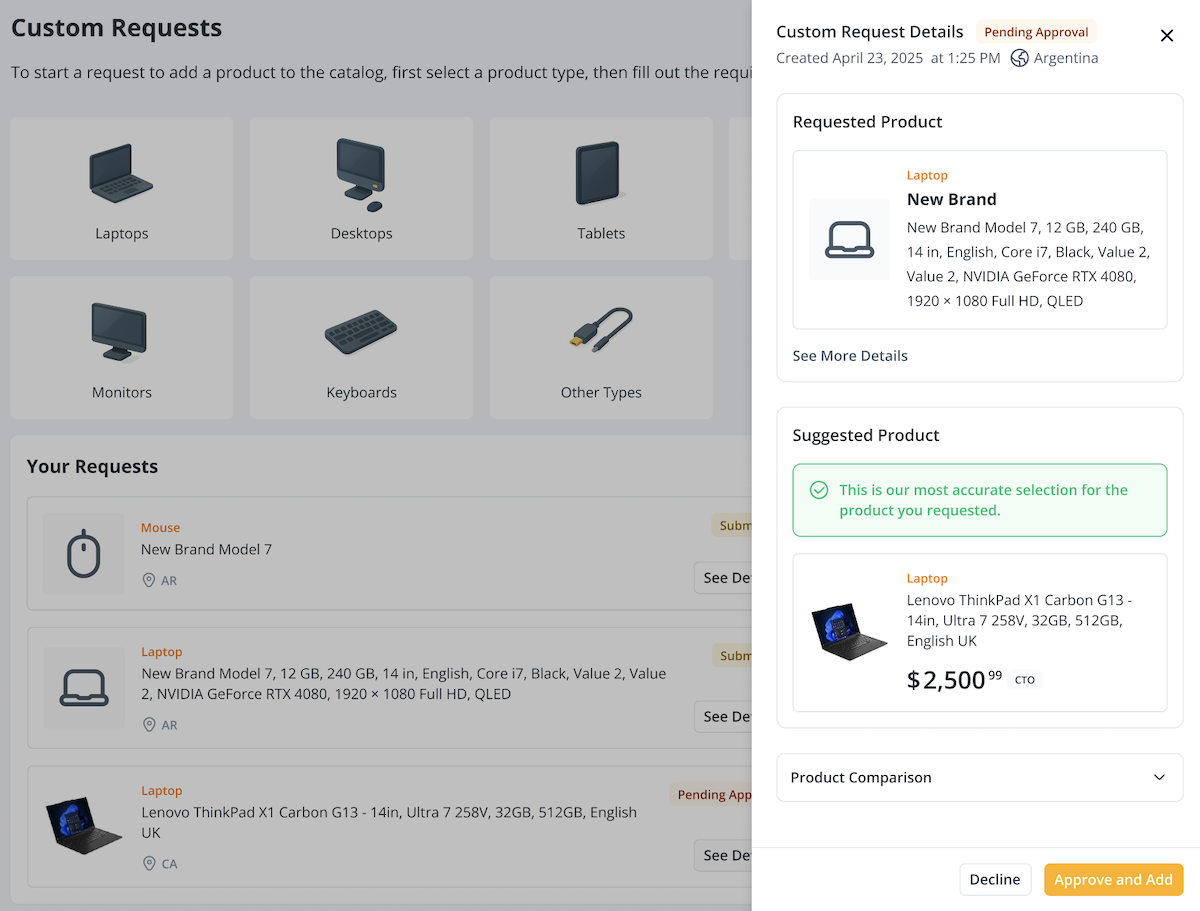
- The requested product will be marked as Added and will be available in the Marketplace for purchase.