MCP
The GroWrk MCP server lets AI tools (Claude, Cursor, ChatGPT, and any MCP-compatible client) read and act on your GroWrk data through the same tool core as the REST API and the CLI.
- Endpoint:
https://ai.growrk.com/mcp - Transport: Streamable HTTP (JSON-RPC 2.0 over
POST)
Your role and the permissions you grant determine which tools are available and what they can do.
Setting a connection up takes the first three sections. Everything from Authentication onwards is the technical reference for the endpoint itself.
Connect your account
The walkthrough below uses Claude. For step-by-step instructions in Cursor, ChatGPT and other clients, see connect.growrk.com.
Note that only organizational owners or primary owners can add custom connections in Claude Team and Enterprise plans.
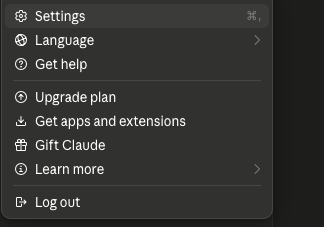
- In Claude, go to Settings.
- Go to Connectors > Customize > Add a custom connector.
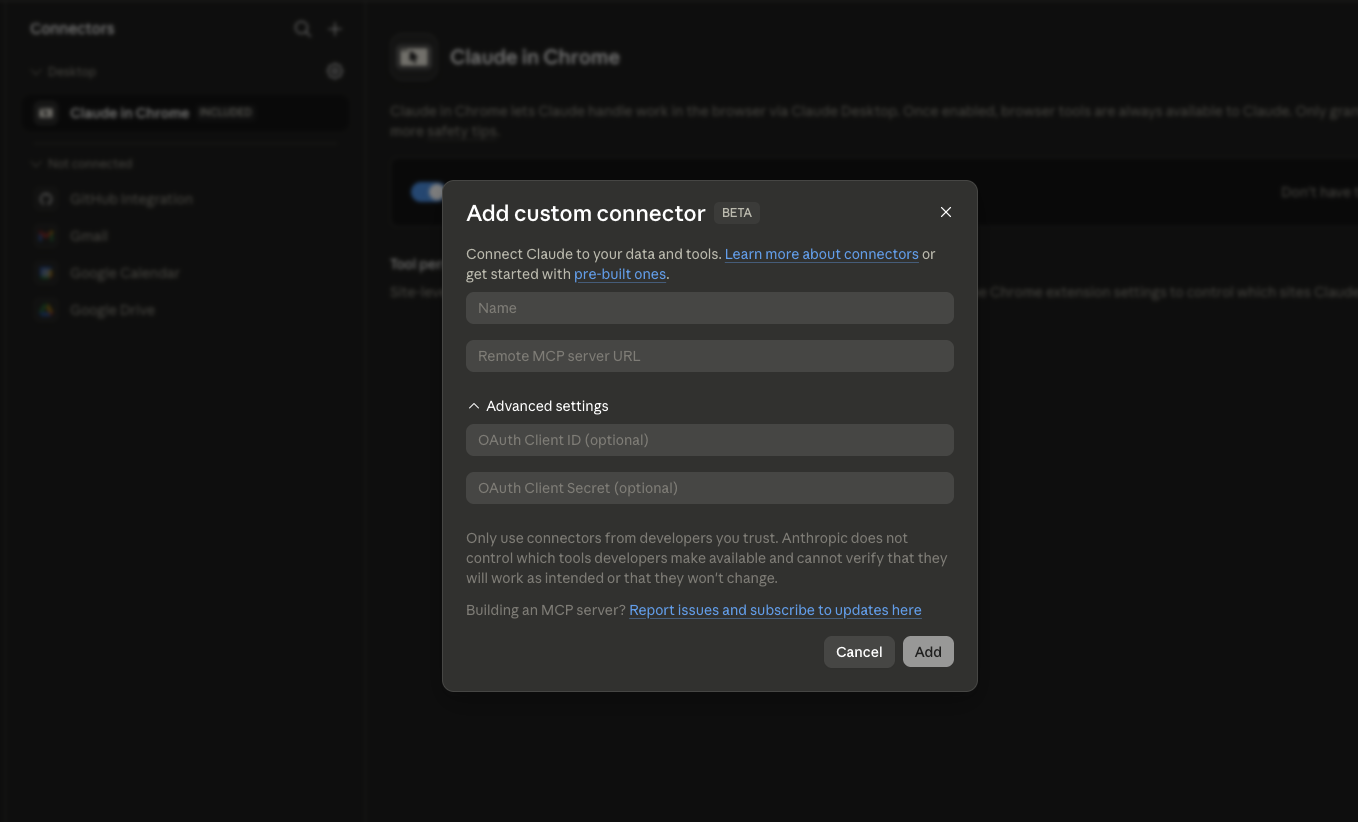
- Enter a name for the connector. In the Remote MCP server URL field, enter the following link:
https://ai.growrk.com/mcp. Then select Add.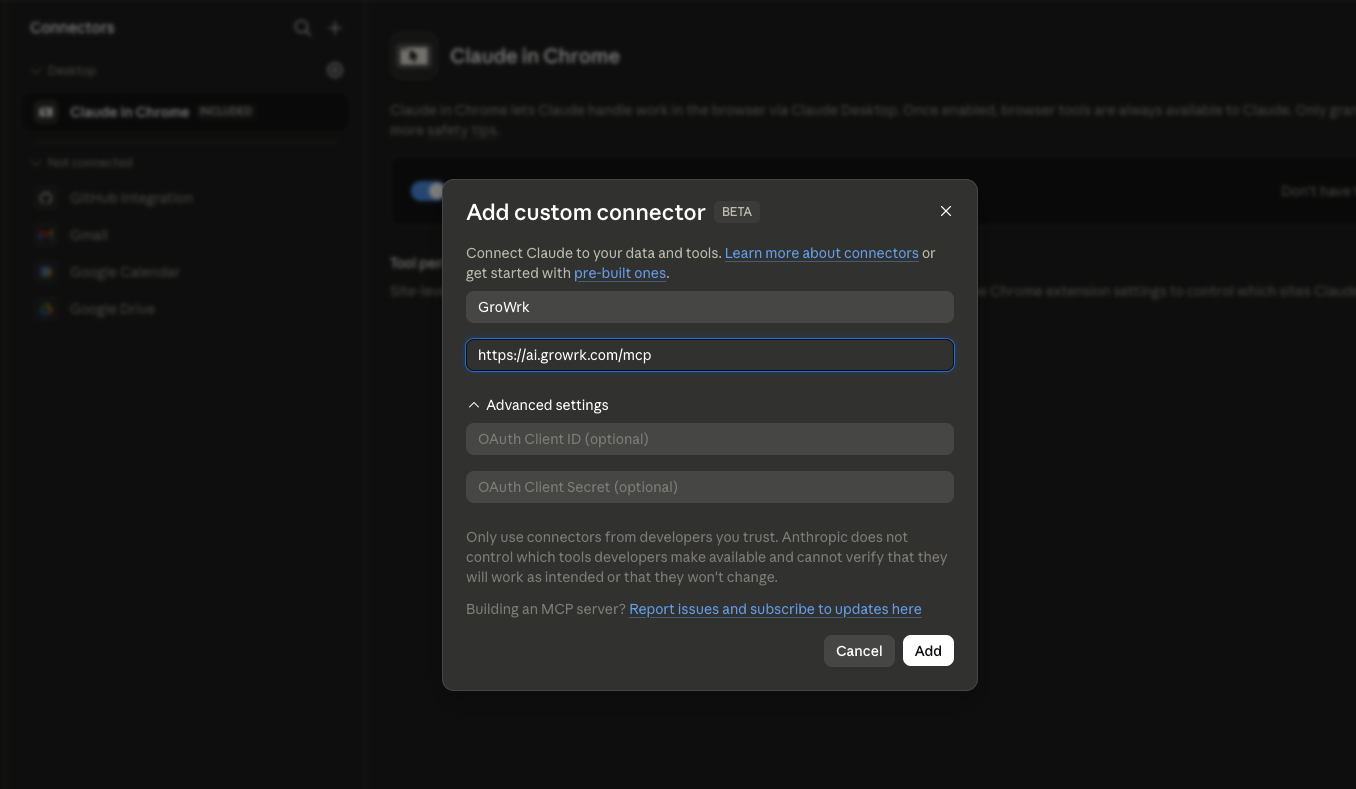
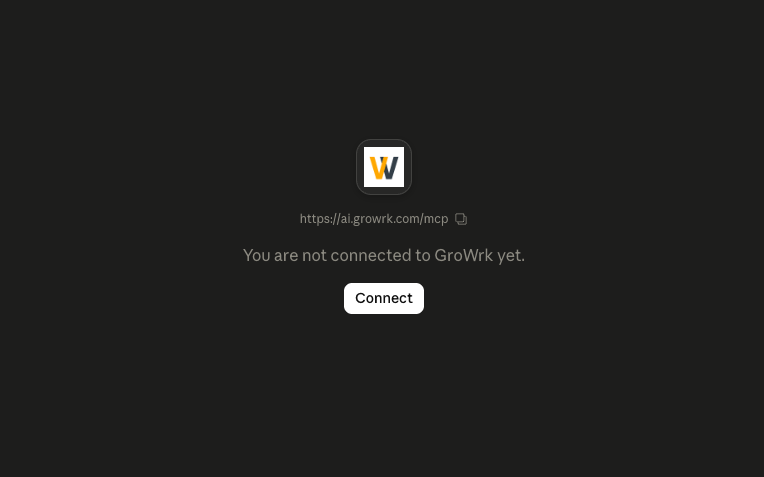
- Select Connect. You will be navigated to the GroWrk login page.
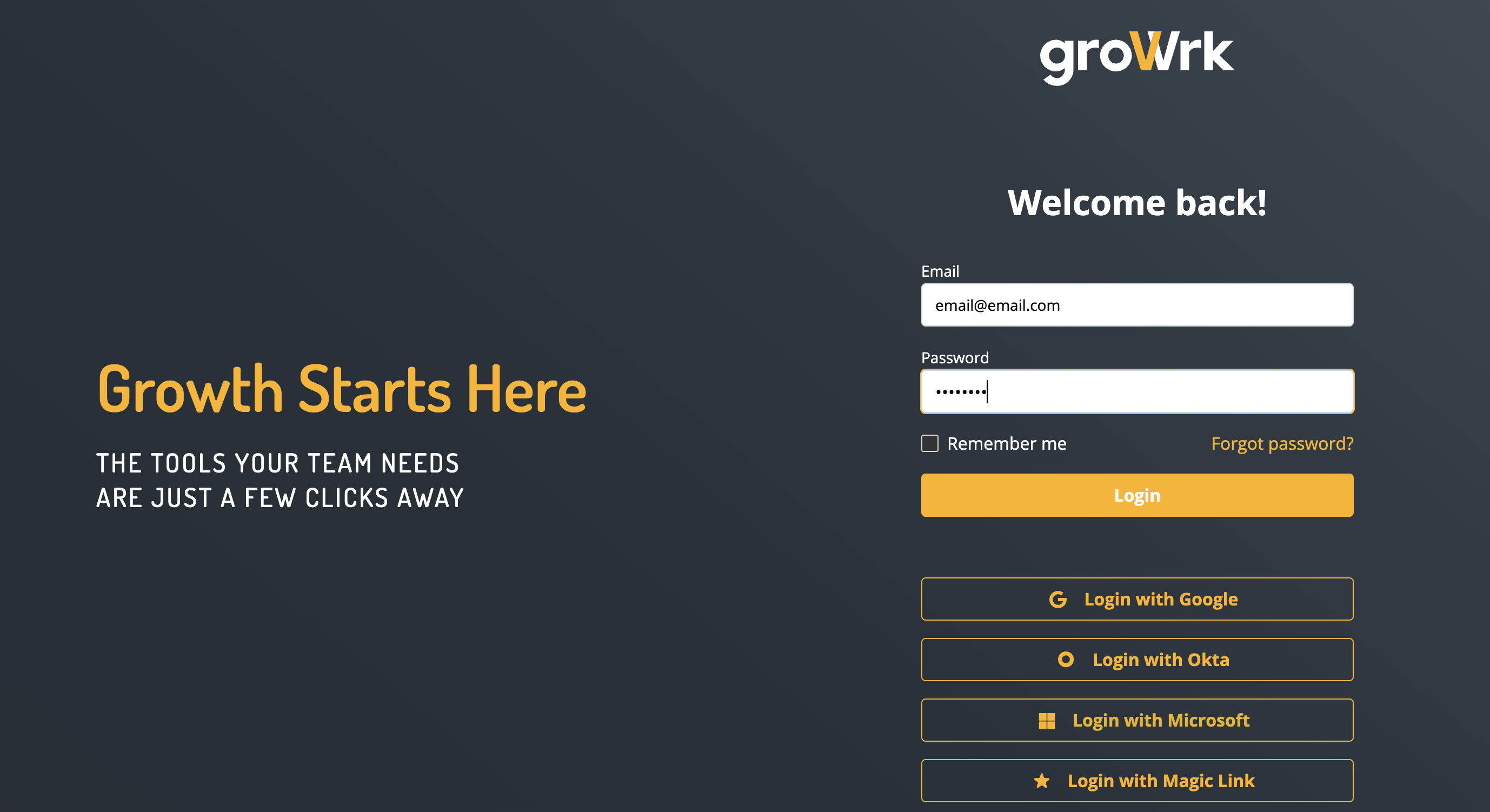
- Enter your GroWrk credentials.
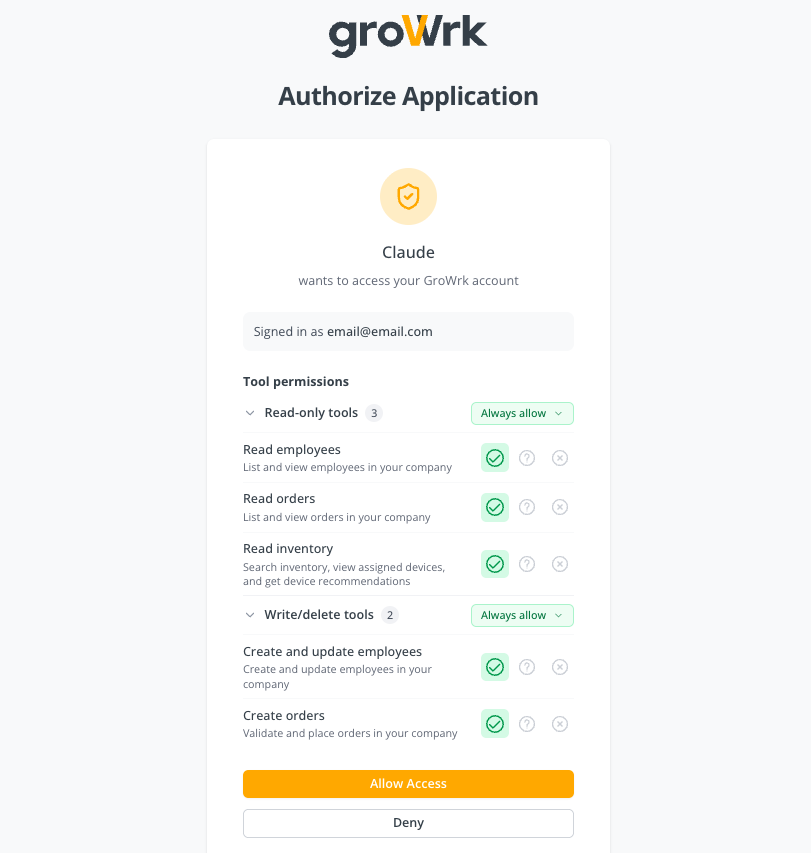
- To authorize the connection, set your permissions, then select Allow Access. You'll be redirected back to Claude once connected.
GroWrk groups access into ten permissions: a read and a write for each of employees, orders, inventory, teams and company addresses. Each permission lists the individual tools it unlocks, so you can see exactly what you're granting before you approve it, and the group headers show how many tools each side covers.
Two things on this screen are worth reading rather than clicking past:
- Unverified application: expected for a connector you added yourself. Only continue if you recognize the app.
- Data destination: where your GroWrk data will be sent. Check it matches the tool you're connecting.
Grant only what the tool actually needs. Read and write are independent: granting Create orders does not also grant Read orders, so a tool that places an order and then reads it back needs both.
Connecting a different client
Whichever tool you use, the connection details are the same:
- Name: GroWrk MCP
- URL:
https://ai.growrk.com/mcp
Sign in with your GroWrk credentials when prompted.
Once connected, try asking
- "Who am I connected to GroWrk as?"
- "List all orders that are In Progress."
- "Where is the shipment for order ABC123?"
- "What devices does Jane Doe have?"
- "Show available laptops in stock in the US."
- "Place a deployment order for Jane Doe."
Managing permissions afterwards
Permissions live in two independent places, and it is worth knowing which one you are looking at:
- In GroWrk: what the application is allowed to reach in your account. This is the grant you made when authorizing, and it is the one that actually gates access.
- In your AI client: when that client asks you before calling a tool it already has access to. This is a convenience setting; it cannot widen what GroWrk allows.
In GroWrk
In the Connections section of the navigation bar, select the MCP Connectors tab. Every connected application is listed with its permissions and when the connection expires.
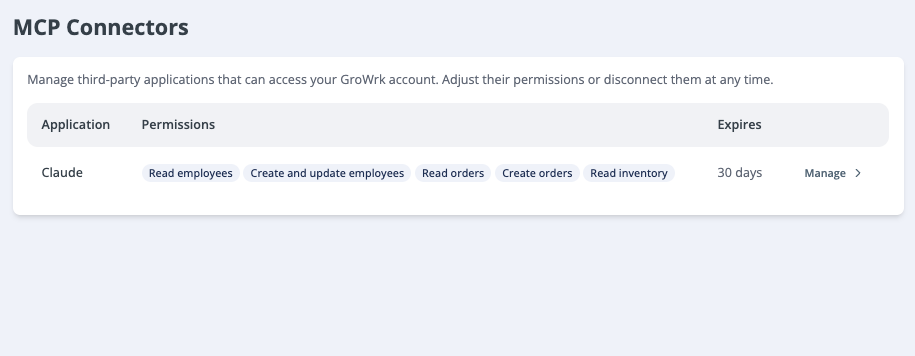
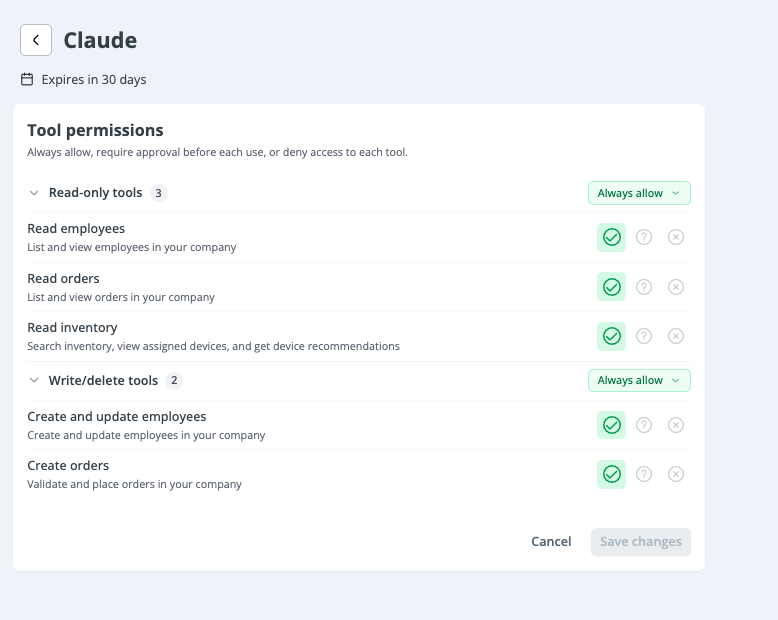
Select the application to review or change what it can do, or to disconnect it entirely.
In your AI client
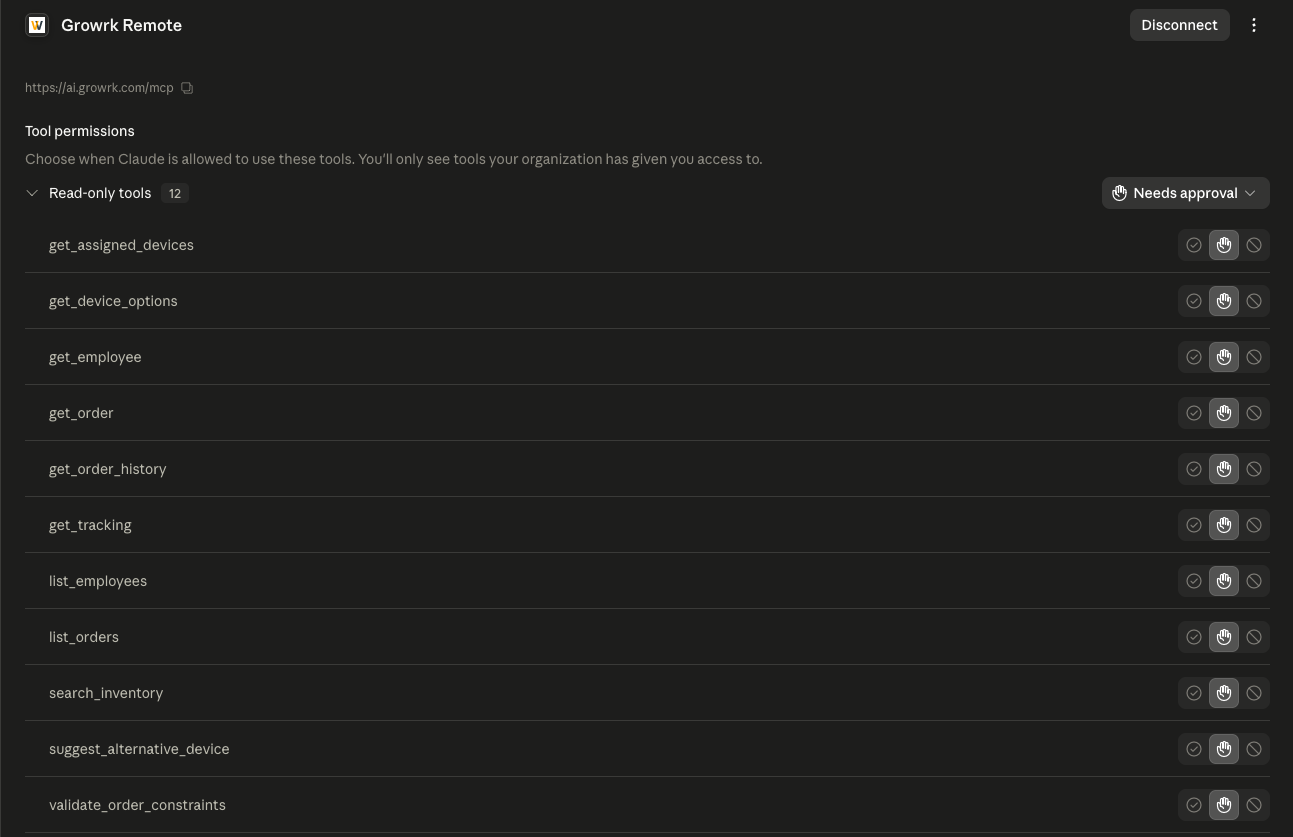
Most clients keep their own per-tool approval settings: whether to allow a tool automatically, ask first, or block it. In Claude this lives on the connector itself.
Authentication
The MCP endpoint accepts two credentials:
- OAuth 2.1 (recommended for interactive clients): the "Sign in with GroWrk" flow used in the walkthrough above. The client discovers the endpoints, you sign in and consent to permissions, and the client receives a token.
- API key: present a
grk_sk_key in theX-API-KEYheader, exactly as with the REST API. Useful for headless or server-side MCP clients.
Either way, the capability check happens per tool call, against the permissions attached to that session.
OAuth 2.1
GroWrk implements OAuth 2.1 with:
- Authorization Code flow with PKCE (
S256, required). - Dynamic Client Registration (RFC 7591), so clients can register themselves.
- Public clients: no client secret required.
- Refresh tokens, so long-lived sessions don't need to re-consent.
Permission and revocation changes propagate on the next request. Revoke a connection in the app and the session stops working immediately.
Discovery
Clients discover the OAuth endpoints automatically. When an unauthenticated request hits /mcp, the server replies 401 with a WWW-Authenticate header pointing at its protected-resource metadata (RFC 9728):
curl https://ai.growrk.com/.well-known/oauth-protected-resource
{
  "resource": "https://ai.growrk.com/mcp",
  "authorization_servers": ["https://ai.growrk.com"],
  "scopes_supported": [
    "mcp:employees:write",
    "mcp:employees:read",
    "mcp:orders:read",
    "mcp:orders:write",
    "mcp:inventory:read"
  ],
  "bearer_methods_supported": ["header"]
}
Discovery advertises fewer scopes than exist. The metadata above lists the original five capabilities, while ten are grantable (the newer
teams,company, andinventory:writescopes arrived with the v2 → v4 migration). Their tools are registered and enforced normally; the discovery document has not caught up. If an OAuth client cannot request a newer scope yet, authenticate that connection with anX-API-KEYinstead, where the full capability set is available. See Capabilities for the complete list.This is expected to resolve when the v2 → v4 migration ships; until then, treat the five advertised scopes as the OAuth ceiling.
That points to the authorization-server metadata (RFC 8414), which lists the authorize, token, and registration endpoints:
curl https://ai.growrk.com/.well-known/oauth-authorization-server
{
  "issuer": "https://ai.growrk.com",
  "authorization_endpoint": "https://ai.growrk.com/api/oauth/authorize",
  "token_endpoint": "https://ai.growrk.com/api/oauth/token",
  "registration_endpoint": "https://ai.growrk.com/api/oauth/register",
  "revocation_endpoint": "https://ai.growrk.com/api/oauth/revoke",
  "response_types_supported": ["code"],
  "grant_types_supported": ["authorization_code", "refresh_token"],
  "code_challenge_methods_supported": ["S256"],
  "token_endpoint_auth_methods_supported": ["none"]
}
Most MCP clients handle this handshake for you. You only paste the server URL and sign in.
Connecting programmatically
To initialize a session, POST a JSON-RPC initialize request. The example below uses an API key; an OAuth client sends Authorization: Bearer <token> instead.
curl -X POST https://ai.growrk.com/mcp \
  -H "X-API-KEY: grk_sk_your_key_here" \
  -H "Content-Type: application/json" \
  -H "Accept: application/json, text/event-stream" \
  -d '{
    "jsonrpc": "2.0",
    "id": 1,
    "method": "initialize",
    "params": {
      "protocolVersion": "2025-06-18",
      "clientInfo": { "name": "my-client", "version": "0.0.1" },
      "capabilities": {}
    }
  }'
The response carries an Mcp-Session-Id header; send it back on subsequent requests in the same session.
Available tools
Each permission on the authorization screen maps to one capability, which unlocks a fixed set of tools:
| Permission on screen | Capability |
|---|---|
| Read employees | mcp:employees:read |
| Read orders | mcp:orders:read |
| Read inventory | mcp:inventory:read |
| Read teams | mcp:teams:read |
| Read company addresses | mcp:company:read |
| Create and update employees | mcp:employees:write |
| Create orders | mcp:orders:write |
| Create and update inventory | mcp:inventory:write |
| Create and update teams | mcp:teams:write |
| Create company addresses | mcp:company:write |
Read-only tools
| Tool | Scope | Function |
|---|---|---|
whoami | None | The authenticated user and their access level. Always available, with or without permissions |
list_orders | mcp:orders:read | Search and list orders (free-text, status/type filters, sorting, pagination) |
get_order | mcp:orders:read | A single order with its full hierarchy (parent + sub-orders, device requests, tracking) |
get_order_history | mcp:orders:read | An order's event history and per-device timeline |
get_order_sla | mcp:orders:read | An order's SLA / delay status and the reasons for any delay |
validate_order_constraints | mcp:orders:read | Check whether an order type can be placed for an employee (run before create_order) |
get_tracking | mcp:orders:read | Shipment tracking for an order, merged with live courier data |
list_employees | mcp:employees:read | Search and list employees |
get_employee | mcp:employees:read | A single employee, including delivery address |
list_available_countries | mcp:employees:read | The countries you already have employees in, derived from their stored delivery addresses |
list_teams | mcp:teams:read | The company's teams (managers see only the teams their role scopes them to) |
get_team | mcp:teams:read | A single team, including its employee count |
search_inventory | mcp:inventory:read | Search company inventory (category, country, status, in-stock filters) |
get_assigned_devices | mcp:inventory:read | Devices currently assigned to an employee |
get_product | mcp:inventory:read | A single device: assignment, condition, location, serial number (employees may only read their own) |
get_device_options | mcp:inventory:read | Available device options, ranked by spec and availability |
suggest_alternative_device | mcp:inventory:read | Purchasable alternatives from the master catalog when a device is unavailable |
list_company_addresses | mcp:company:read | Saved office / warehouse addresses devices can ship to or be collected from |
Write tools
These require the matching write scope and ask for your approval before running.
| Tool | Scope | Function |
|---|---|---|
create_order | mcp:orders:write | Place an order (Deployment, Offboarding, Collection, Maintenance, or Swap from Inventory) |
create_purchase_order | mcp:orders:write | Purchase catalog devices for an employee or into the company inventory pool |
add_power_accessory | mcp:orders:write | Request a replacement charger for a device on an existing order |
create_employee | mcp:employees:write | Create a new employee record, optionally emailing them a dashboard invitation (sendInvitation) |
update_employee | mcp:employees:write | Update an employee's editable fields |
create_team | mcp:teams:write | Create a team (the name must be unique within the company) |
update_team | mcp:teams:write | Rename an existing team |
add_product_pin_code | mcp:inventory:write | Store a device's unlock PIN (Desktops, Laptops, Mobile, Tablet only) |
create_company_address | mcp:company:write | Save a new office / warehouse address |
Prefer code or a terminal? The same operations are available through the REST API and the CLI.